Why We Use Cloudflare for Your Name Servers (and What a Domain Registrar Actually Does)
Every time we migrate a client’s website to our managed hosting, the same questions come up. “Why are you changing my name servers to Cloudflare?” “Does that mean my domain moves?” “Another provider told me to point my name servers at them — who’s right?”
They’re fair questions, and the confusion usually comes from one thing: the difference between a domain registrar and a name server. Sometimes they’re the same company. Sometimes they’re not. This article explains both, with diagrams, and walks through exactly what changes (and what doesn’t) when we move your DNS to Cloudflare.
Key takeaways
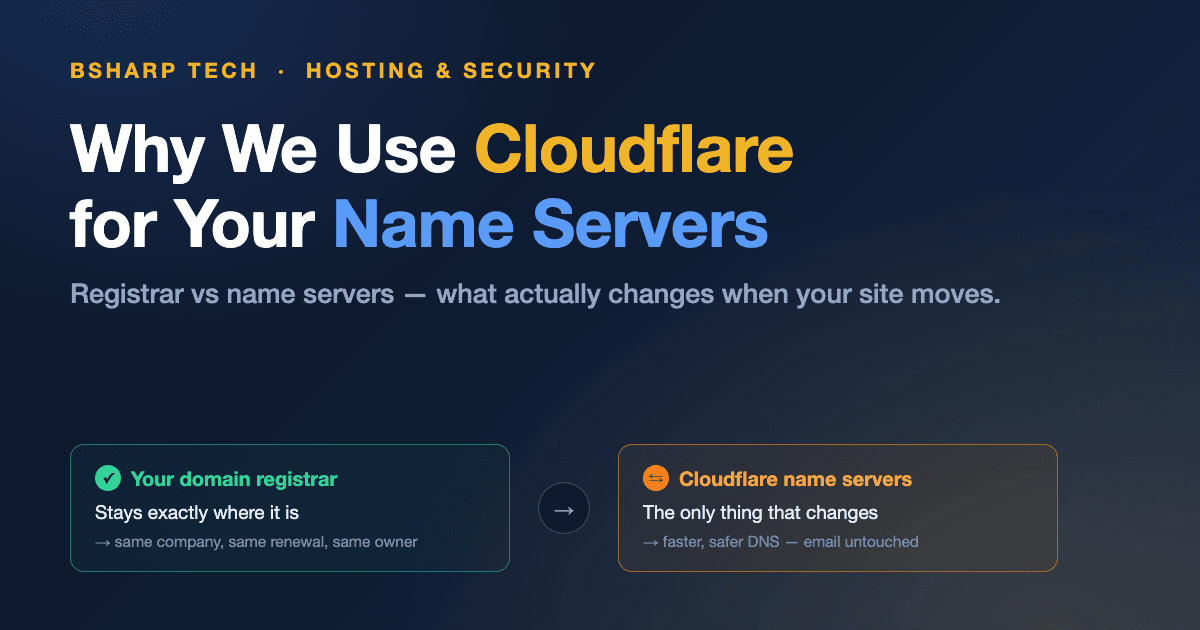
- Your domain registrar doesn’t change when we migrate you. You keep ownership and keep renewing with the same company.
- Name servers are simply your domain’s address book. We host that address book on Cloudflare — as of July 2026, 24.2% of all websites do the same (W3Techs).
- Your email and other services keep working, because every DNS record is copied into Cloudflare before anything switches over.
What’s the Difference Between a Domain Registrar and a Name Server?
A domain registrar is the company where your domain name is licensed and renewed — think VentraIP, GoDaddy or Crazy Domains. A name server is the service that answers the internet’s questions about your domain: where’s the website, where does the email go? Two different jobs, often done by two different companies.
Here’s a useful way to picture it. The registrar is like the land titles office: it records that you hold the licence for yourbusiness.com.au, and it notes which name servers the world should ask about it. The name servers are the address book itself — the thing that actually gets asked, thousands of times a day.
Why does the confusion exist at all? Because when you register a domain, the registrar quietly assigns its own default name servers. So for many businesses, one company genuinely is doing both jobs — right up until a developer or host asks to change the name servers, and suddenly the two roles matter.
Here’s the part worth remembering: changing your name servers is not a domain transfer. Your registrar, your ownership, your renewal invoice — none of it moves. Only the address book does. You can browse the difference between these terms any time in our plain-English definitions glossary.
How Does DNS Work When Someone Visits Your Website?
DNS (the Domain Name System) translates your domain name into the addresses of the actual servers doing the work. When a visitor types your address, their device asks your name servers where the site lives, gets an answer in milliseconds, and connects. The whole exchange finishes before a finger leaves the keyboard.
The “answers” in step three are your DNS records. A few show up in almost every conversation we have with clients: an A record points your website at a server’s IP address, a CNAME record points one name at another, MX records route your email, and TXT records verify ownership and protect your email reputation. We’ve covered the email ones in detail in our guide to DMARC, DKIM and SPF.
Why Do We Use Cloudflare for Your Name Servers?
Because it’s the strongest DNS platform we can put under a client’s domain, at no extra cost to you. As of July 2026, 24.2% of all websites use Cloudflare (W3Techs), and its network spans 337 cities worldwide (Cloudflare). When your address book runs on that network, your visitors get answers from a server near them — not from a single box in one data centre.
Speed is the headline. Cloudflare is consistently measured as one of the fastest authoritative DNS providers in the world (Cloudflare; independent benchmarks at DNSPerf agree). Faster DNS answers mean your pages start loading sooner for every visitor, on every device.
Then there’s protection. Cloudflare’s network blocks an average of 234 billion cyber threats a day (Cloudflare, 2026), and it puts that shield in front of your site: DDoS mitigation, bot filtering, a web application firewall and free SSL certificates. We’ve written a full breakdown of the security side in how Cloudflare name servers protect your website, and the performance side in our guide to CDNs.
There’s also a practical reason you’d only notice over time. With every client’s DNS managed in one professional dashboard, changes that used to mean “lodge a ticket with the host and wait” now take us minutes. New email platform needs a verification record? Booking system needs a subdomain? We add the record in Cloudflare, it propagates in seconds, and you get on with your day. That responsiveness is a big part of why we standardised on it years ago.
What Actually Changes During Your Migration?
Exactly one setting changes at your registrar: the name servers your domain points to. Everything else — the registrar itself, your ownership, your renewal date and price — stays put. Before we touch that setting, we copy every DNS record from your old provider into Cloudflare, so both address books briefly hold identical answers.
Could there be downtime? In practice, no — and the diagram shows why. Because the old and new address books hold the same records during the switch, it doesn’t matter which one a visitor’s device asks. DNS changes can take up to 48 hours to reach every corner of the internet, but with identical answers on both sides, nobody notices the handover.
What About Your Email and Other Service Providers?
Your email keeps flowing because its MX records are copied into Cloudflare before the switch, still pointing at the same provider. Microsoft 365 stays Microsoft 365; Google Workspace stays Google Workspace. Moving your website’s hosting and moving your email are completely separate decisions — a migration with us only involves the first.
The same logic covers every other service attached to your domain: booking systems, email marketing platforms, payment providers, verification records. Each one is just a DNS record, and each record now lives in Cloudflare where we can add or update it in minutes.
“This provider says to change my name servers to theirs…”
Setup guides from other platforms often open with “point your name servers at us” — because they’d like to host your DNS by default. You almost never need to. Those guides always include an alternative: add a couple of DNS records instead. Send the instructions our way, and we’ll add the records in Cloudflare — usually live within minutes, with everything else untouched.
That’s the answer to the most common migration worry of all. Using Cloudflare for name servers doesn’t lock any of your other services out — it gives every one of them a fast, reliable place to plug in.
Frequently Asked Questions
Does pointing my name servers at Cloudflare transfer my domain to Cloudflare?
No. Your domain stays registered exactly where it is, in your name, at the same renewal price. Name servers only determine who answers DNS queries for your domain. Think of it as changing which address book the internet reads — not who owns the address.
Will my email go down when the name servers change?
No. We copy your MX and related email records into Cloudflare before changing anything, so both old and new name servers give identical answers during the switch. Your mail provider doesn’t change, and mail keeps flowing throughout the 24–48 hour propagation window.
A service provider asked me to change my name servers to theirs. Should I?
Almost never. Providers ask for name servers because it’s the easiest default for them — but every mainstream platform also supports connecting via individual DNS records. Send us their instructions and we’ll add the records they need in Cloudflare, usually within minutes.
Do I have to pay for Cloudflare?
No. DNS hosting on Cloudflare is included in how we manage your website — there’s no separate licence or subscription passed on to you. As of 2026, Cloudflare’s DNS and core protection features power 24.2% of all websites (W3Techs), most on exactly this arrangement.
What happens to my DNS if I ever leave BSharp Tech?
Your domain was never ours to keep — it stays at your registrar throughout. If you ever move on, we hand over a full export of your DNS records, and your new provider points the name servers wherever they like. No lock-in, by design.
The Short Version
Your registrar records that the domain is yours. Your name servers answer the internet’s questions about it. During a migration we change only the second one — to Cloudflare, because it’s one of the fastest and best-protected DNS networks in the world, and it costs you nothing.
If you’re partway through a migration with us and something in this article raised a question, get in touch — we’re happy to walk through your specific setup. And if your domain itself needs a better home, we also offer domain registration and management.
Sources
- W3Techs, Usage Statistics and Market Share of Cloudflare, retrieved 28 July 2026, w3techs.com/technologies/details/cn-cloudflare
- Cloudflare, The Cloudflare Global Network, retrieved 28 July 2026, cloudflare.com/network
- Cloudflare, DNS — Authoritative and Secondary DNS, retrieved 28 July 2026, cloudflare.com/application-services/products/dns
- DNSPerf, Authoritative DNS provider benchmarks, dnsperf.com